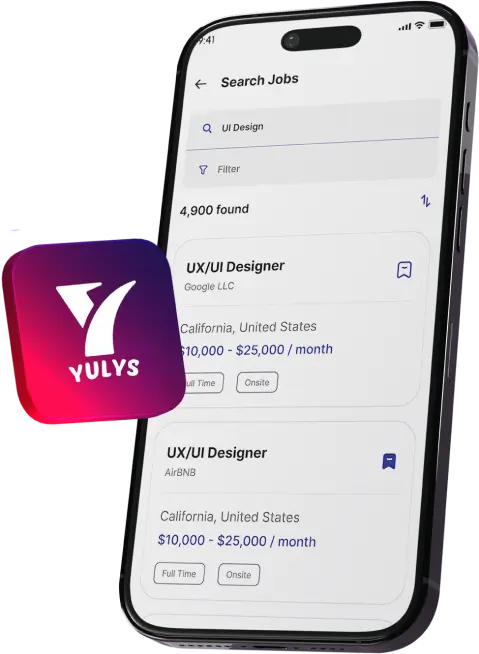
Get The Yulys App
Start your job search on-the-go and
never miss
a message or job alert.
Get The Yulys App
Start your job search on-the-go and
never miss
a message or job alert.


To train new hires faster with video tutorials, record the tasks they must complete in their first week, keep each video to one task, pair it with written steps they can scan later, and update it whenever the tool changes. A small library like this replaces most of the repeat one-on-one demos.
Most onboarding plans cover the welcome lunch, the paperwork and the org chart. Then the new hire opens the CRM, the HR portal or the ticketing system for the first time and has to stop someone to ask where the right button is. Multiply that by every tool and every hire, and a manager can lose hours each week repeating the same demo.
Video tutorials fix much of that, but only when they are built for how new employees actually learn: in short bursts, often while doing the task. This guide covers what to record, how to record it without a video team, and how to keep the library useful after the first month.
A good preboarding plan gets the laptop and logins working before day one. The trouble starts after login. Every company sets up its software differently, so even an experienced hire who has used the same CRM elsewhere still has to learn your fields, your approval steps and your naming rules.
Shadowing a colleague helps, but it does not scale. The new person sees a task once, at the speed of someone who has done it hundreds of times, and then has to repeat it alone a few days later. A recorded tutorial lets them watch at their own pace and come back to it the moment they need it.
The tutorials new hires actually use tend to share four traits:
That last trait is the one most teams skip, and it is a common reason video libraries stop being used after the first week.
Start with the tasks every new hire must complete in the first five days, whatever their role:
A list like this usually comes to 10 to 15 tutorials. Ask the last two people you hired which tasks they had to ask about most, and record those first.
You do not need editing skills or a script. The person who does the task best records their screen while doing it once, talking through each step the way they would explain it to a colleague sitting beside them.
The right tool handles most of the rest. One option is Trails, a video tutorial software built around editable written steps: you capture the task with its Chrome extension or desktop app, and it creates an annotated step-by-step guide and a narrated training video from the same recording. A new hire can watch the video the first time, then jump straight to the written step they need on day three.
Two details matter for onboarding in particular. Trails can blur sensitive information, such as employee IDs or pay details, before a tutorial is shared, which is important when you record inside an HR or payroll system. Guides can also be shared by link, embedded in a help desk or knowledge base, or exported to PDF, HTML or Markdown, so they sit wherever your onboarding checklist already lives.
Software changes all the time. A renamed menu or a new approval step can make a tutorial wrong overnight, and an outdated tutorial can do more harm than none at all, because the new hire trusts it.
This is where the way you build tutorials matters. If a tutorial is one continuous video, fixing a single step often means recording the whole thing again. In Trails, the written steps drive the video, so you edit the step text, regenerate the narration and replace the screenshot for any screen that changed. Version history keeps a record of each edit.
Give every tutorial an owner, usually the person who does the task most often, and ask them to review it whenever the tool ships a visible update.
A library only helps if new hires know when to use it. Link each tutorial from the day it is needed in the first-week plan, so day two might list “Set up direct deposit” with its tutorial right beside it. Keep the buddy or manager check-in, but change its purpose: instead of demonstrating the task, they answer questions after the new hire has tried it with the tutorial.
After each hire, ask what was confusing or missing. Those answers tell you which tutorials to fix and which tasks to record next, so the library gets better with every person you onboard.
How long should an onboarding video tutorial be?
Long enough to cover one task, which for most software tasks means a few minutes. If a video runs much longer, it usually covers several tasks and should be split so new hires can find the exact one they need.
Can we turn existing training recordings into tutorials?
Often, yes. In Trails, converting an existing video into a guide is part of the Team plan. Trim old recordings down to one task each before you convert them, so every tutorial stays easy to find.
Do video tutorials replace a buddy or manager during onboarding?
No. Tutorials take over the repeat demonstrations, which frees the buddy or manager for questions, context and introductions. New hires still need a person to ask, especially in the first week.
Pick the one task your last new hire asked about most, record it once while you do it, and add it to the first-week plan. When the next person starts, ask whether it helped, then record the next task on the list.
©YulysLLC - 2026 All Rights Reserved | Terms of Service | Privacy Policy | Data Deletion | Yulys Ads Program