Get The Yulys App
Start your job search on-the-go and
never miss
a message or job alert.
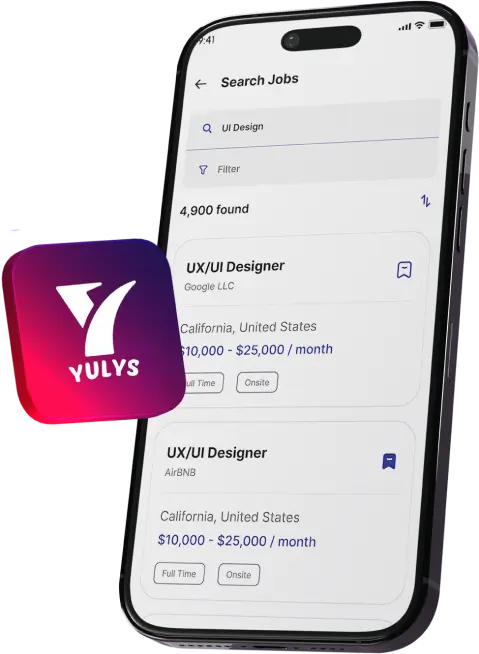
Get The Yulys App
Start your job search on-the-go and
never miss
a message or job alert.


On job search platform like Yulys, the hiring journey start with a posting role, matching the candidate, and an interview invitation. The part that comes after the employer says “YES” is less modern. Many documents need to be signed, scanned, and emailed back like offer letter, contract, or NDA. Employers who want this final stretch to move as quickly as the search are connecting their HR systems to an electronic signature API, so documents are sent, signed and stored without manual handling
So, let’s see in detail how such an API works for employers, recruiters and HR teams and which U.S. laws support it. Also, this article will cover what job seekers can expect when an offer arrives as an eSign request.
Hiring has two halves. The first is discovery: employers post openings, candidates build resumes and apply, and interviews are scheduled. Platforms such as Yulys focus on that half, connecting job seekers with employers for in-house and remote roles and helping employers post jobs and invite candidates to interview.
This is where delays tend to appear, because every document needs a signature from a person who may be on another continent or simply busy with a current job. This is where an e-signature makes things quick and easy. As soon as the candidate accepts the offer, employer sends them the documents that they can sign electronically and moves on with on-boarding.
An application programming interface or API lets one piece of software talk to another. In this scenario, your applicant tracking system, HR platform or internal web app induce signing actions in an eSignature. They does this instead of asking staff to switch tools and upload files manually.
A typical integration handles three jobs:
1. Preparing a document by uploading it and placing signature and text fields
2. Sending it to one or more signers
3. Retrieving the signed result together with its audit trail
Because the steps run automatically, a request can be created the moment a candidate's status changes to "offer accepted."
The main benefit is consistency. Every new hire receives the same documents in the same order, and the record of who signed what, and when, is created without extra effort from the HR team.

Caption: The signNow electronic signature API page, which introduces the integration options. Alt text: signNow electronic signature API page showing developer integration information
First question that came to mind while discussing eSignature is its legal validity. In United States, two laws validates eSignature. The federal ESIGN Act of 2000 gives eSignature the same legal effect as paper ones for most transactions. Secondly, the Uniform Electronic Transactions Act (UETA) establishes a similar rule at the state level.
Some documents like wills or some court notices are excluded, some employment-related forms have their own rules, so you have to confirm requirements with legal counsel for such unusual cases.
Offer letters are the most practical example in this scenario. The employer generates it from a template, the candidate reviews it and signs, the copy of which returns to the candidate record. This same criteria works for NDAs, intellectual property agreements, and remote-work policy.
Onboarding benefits most rom the automation. A new hire can complete several documents in one go before the first day and HR received all signed and ready to store documents in one place.
Multi-signer documents are also common. A contract may need the sign of an HR, a hiring manager, and the new employee to sign in order. An API-driven workflow takes the document to each party in turn and records every action. This helps if any conflict arise later.

Caption: Placing signature and text fields on a document before it is sent for signature.
Alt text: signNow editor with signature and text fields placed on a contract
Hiring paperwork looks different in each sector. A healthcare provider onboarding clinical staff may need confidentiality and privacy acknowledgments tied to HIPAA. Because those records can involve protected health information, a business associate agreement (BAA) is required with a vendor handling that data, and signNow lists HIPAA compliance with a BAA.
Whatever the case is, the pattern is the same: a template, a defined order of signers, and a stored record that compliance teams can find during a review.
Candidates who are expecting to receive an offer request will receive an eSign request instead of a PDF attachment. The request will contain the documents with fields that need to be filled and signed so you can complete them electronically.
However, before signing make sure to read the document carefully including starting date, compensation, any probationary term and confidentiality clauses. If something differs from your verbal agreement, ask the employer to change that before signing.
After signing, download your signed copy. It’s a record that you may need later for loans, rentals, or other employee benefits.
HR documents contain personal data, so review how a signing service protects it. signNow documents its use of TLS 1.2/1.3 for data in transit and AES-256 encryption at rest, along with audit trails and two-factor authentication (2FA).
On the compliance side, signNow lists ESIGN, UETA, HIPAA (with a BAA), SOC 2 Type II, GDPR, 21 CFR Part 11, PCI DSS, ISO 27001, CCPA and eIDAS. Which of these matter depends on the employer: life sciences teams look at 21 CFR Part 11, and companies hiring in Europe at GDPR and eIDAS.
These certifications do not replace internal controls such as access permissions and retention policies, but they give security reviewers a clear starting checklist.
As soon as the integration is live, monitor a few key metrics like how long employees take to sign the documents, how many complete their paperwork, and how much time HR spend chasing missing documents. signNow reports 80% of document completion rate, 6 hours saved per employee per week, and average 700% first year ROI.
Mind that these figures are just benchmarks because the final result depends on your workload and process.
It is an interface that lets your software create, send, track and retrieve signing requests inside an eSignature service. Instead of uploading files manually, your HR or recruiting system triggers the process automatically, keeping documents, signers and signed records connected to the tools your team already uses.
Generally yes. The ESIGN Act and UETA give electronic signatures the same general legal effect as handwritten ones for most transactions, provided there is intent to sign, consent to use electronic records and proper retention. Some employment forms have special rules, so check unusual cases with counsel.
Typically yes, at least for setup, since an API connects two systems through code. After templates and workflows are configured, HR staff can usually send for signature and monitor status without further development, depending on how the integration is built.
Yes, if the vendor supports HIPAA compliance and signs a business associate agreement. signNow lists HIPAA compliance with a BAA required. Healthcare employers should also apply their own access controls, staff training and retention rules to signed records, since vendor compliance is only one layer of protection.
The Business plan starts at $8 per user per month when billed annually. All paid plans include unlimited users, and there is no envelope cap. For employers whose hiring volume rises and falls through the year, the lack of an envelope cap means document volume is not limited per user.
©YulysLLC - 2026 All Rights Reserved | Terms of Service | Privacy Policy | Data Deletion | Yulys Ads Program