Get The Yulys App
Start your job search on-the-go and
never miss
a message or job alert.
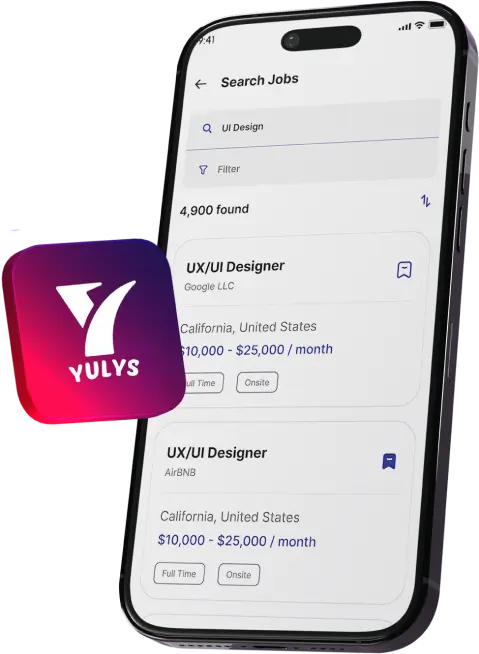
Get The Yulys App
Start your job search on-the-go and
never miss
a message or job alert.


Starting your career can be overwhelming. While you may have obtained a degree, with some experience within academia and some projects under your belt, you may still find it challenging to know how to get your qualifications into employment.
Understanding what employers are looking for, finding the right career path, creating a professional CV and developing your confidence during interviews will all help.
Thankfully, there are plenty of AI tools out there to help you on your journey. They can help you organise your knowledge, find your strengths, look up industries, improve your applications and practice key skills in the workplace.
However, it is important to choose the correct tools. You will not want to have loads of apps that confuse you. You will feel overwhelmed when so many tools crowd your computer.
Instead, you should just have a few reliable tools to help you throughout your career journey. Below are 7 great tools to look into, while you are moving into professional employment from student life.

Once you begin applying for job roles, you will quickly realize that you need to know key concepts and be able to explain the skills you have in clear terms. This will be true for every vacancy you apply for.
You will also need to feel confident when asked questions on your subject.
RemNote is a great tool to help you build the right habits. Not only can you upload your lecture PDFs and keep your notes organised, but it has useful AI tools to help you create study material and practice questions.
The flashcard maker in particular will help you create cards with your key information relating to your course that the interviewer may ask. This will save you time as you can revise the topics quickly.
If you are applying for a marketing role, for example, you could create cards around topics you have learned, such as customer segmentation, branding, market research, and digital marketing. RemNote also has an AI Tutor which will help explain any tricky areas and test your understanding.
This will help you build stronger knowledge around your subject and help prepare you better for technical and general interviews.

Sometimes choosing your first career path can be difficult when you have lots of interests.
CareerExplorer helps you to choose by asking about your interests, likes, personality type and career goals. The career test takes into account your likes and matches your answers to a vast database of occupations.
This gives you an insight into what careers may fit your likes and working style. You can then look into the different industries, know what you would be responsible for, and what qualifications you may need.
This can help to show you what options there are available to you. For example, if you like solving problems and working with data, you can look into business analyst roles, research roles, finance roles, and technology roles.
This will give you a starting point to look into. You should use the tool and do your own research to find out what your job interests are and choose a career accordingly. This will allow you to choose what you are passionate about rather than blindly applying for roles that do not fit your strengths.

Before applying for a role, it is important that you have an understanding of the industry, the company, and the skills required by employers.
Perplexity AI is a great tool to help you with your research. It will search the web and give you a concise summary of the answers. This could include questions like what your industry requires, entry-level roles, new skills, and what a role entails.
For example, if you are interested in the Human Resources industry, you can research what roles such as recruitment assistants, HR coordinators, and talent acquisition specialists usually entail.
Comparing the skills requested in the job adverts can help you see what skills to work on. The answers given are linked to their source, meaning you can easily click through to check the information.
This is especially useful to find out what the salary expectations are, what qualifications are required, and what is happening in the industry.
Using Perplexity to find authentic reports, company websites, and professionals will help you make more informed decisions about your career and ensure your application is more relevant.

You will not get the best results if you use the same resume for all employers, as different companies will have different priorities.
However, Huntr has an awesome AI resume builder and application tracker that can match you to the job that you desire. This allows you to build your main resume with your education, projects, achievements, experience, and skills.
Once you find a vacancy, you can build a tailored resume using the job description. The AI tool will help you to create better statements to showcase your achievements, highlight important things from your resume and even create a cover letter.
It also has an awesome application tracker. This means you can keep track of your applications. For example, when you apply for an internship, you can keep an eye on which resume you applied with and when you need to follow up.
Huntr has a free basic plan which includes many great features. However, some of its advanced AI tools are not free. If you are applying for lots of entry-level roles, then this can really help you keep on top of your applications.

You can lose a good CV due to poor sentence structure and grammar that employers cannot understand.
Using Grammarly can help you to improve your writing because they provide tools to check your grammar, spelling and sentence structure. This will be helpful when you create your resume, write a cover letter, or send any emails.
The writing suggestions will help you to turn generalised statements into sentences that highlight your abilities.
Instead of simply saying that you participated in a university event, you can say what role you played there. For example, you can mention that you were in charge of managing registrations, liaising with attendees, or taking part in a specific role.
There is also a Resume Builder tool within Grammarly which can help you put your experience together in a professional way.
Make sure your CV shows and highlights your actual achievements.
By carefully editing your document using Grammarly, you can create a clear document that shows your skills and communicates professionally with potential employers.

Sometimes you can struggle to talk about your experience during an interview. It can be difficult to structure your thoughts; you might speak too quickly and fill your answers with unnecessary words.
To help you build up your conversational skills, you can use Yoodli, which acts as an AI communication coach. You can choose to practice your interview by answering questions and receiving feedback.
Depending on the activity and features you have access to, you will receive feedback on your speaking rate, clarity, and how well you communicate your points.
You can practice answering questions about your top strengths, any academic projects you have worked on, teamwork experience, and reasons why you want to apply for the role. You can then look at the feedback and practice again to improve.
This can be beneficial if you are practicing for your first professional interview and don’t have much experience in the workplace.
With Final Round AI, you can create interview prep goals, role details, and run mock interviews for the role you are looking to practice for. I
Once you have practiced, you can get feedback to see where you can improve.
For example, if you are practicing for an entry-level business analyst role, you can practice talking through how you would approach a situation, analyze information, and provide recommendations.
You can use your CV and job description as interview prep.
Beyond just finishing your degree and applying for jobs, there are a number of things you should do to prepare yourself for the job market.
Understanding your strengths, building relevant skills, and communicating well to show why you are the right person for the role can be done more methodically with these tools.
RemNote can help you build your knowledge, CareerExplorer can help you explore different career options, and Perplexity can help you research different industries and companies.
Once you are ready to apply, Huntr and Grammarly can help you create professional applications, and Yoodli and Final Round AI can help you prepare for interviews.
However, take your time to ensure that you are researching properly, building real skills, and fully understanding what you’re applying for. The more proactive you are with preparing, the more you’ll be able to recognise and seek out roles that are right for you.
©YulysLLC - 2026 All Rights Reserved | Terms of Service | Privacy Policy | Data Deletion | Yulys Ads Program