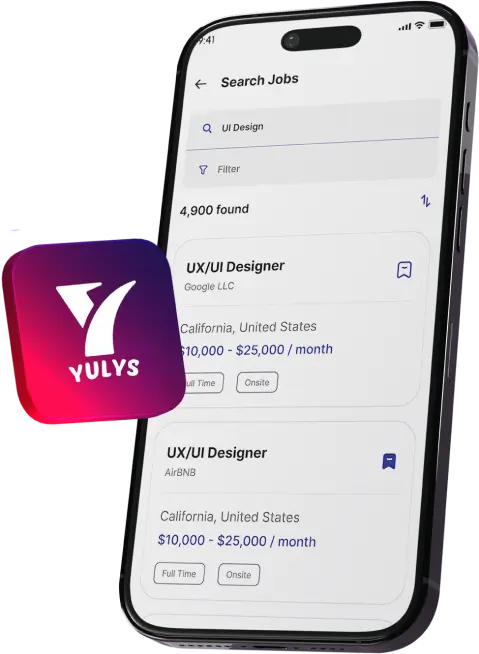
Get The Yulys App
Start your job search on-the-go and
never miss
a message or job alert.
Get The Yulys App
Start your job search on-the-go and
never miss
a message or job alert.


The average workday is full of small tasks that add up: finding the latest version of a file, writing a status update, chasing approvals. None of it is hard, but all of it takes time away from the work you were hired to do.
AI agents are taking over much of that load. Here are six of the best AI agents for boosting workplace productivity in 2026.
Unlike basic chatbots that wait for a prompt, agents can plan multi-step tasks, use your work apps and run on a schedule. They're spreading fast. According to a Gartner forecast, 40% of enterprise applications will feature task-specific AI agents by the end of 2026 - up from under 5% in 2025.
Gartner further projects that by 2029, over half of knowledge workers will actively collaborate with, manage, or create AI agents. That makes agent skills worth adding to your professional development goals this year.
A useful workplace agent should do three things well. It should understand your company's context, not just the public internet. It should work inside the tools you already use. And it should be safe, which means respecting permissions, logging what it does and asking for approval before high-stakes actions.
The top spot goes to Glean, because it solves the problem that sits underneath most lost time at work: finding the right information and acting on it. Glean's Work AI Index 2026 found that workers say AI saves them around 11 hours a week, and Glean is built to make that kind of gain the norm.
Glean connects to more than 250 workplace apps, including email, chat, drives, CRM, ticketing and HR systems, and indexes them while respecting each person's existing access rights. That company-wide context powers two main tools:
Best for: Companies that want one AI agent platform grounded in all of their knowledge, for every employee.
If your day runs on Outlook, Teams, Word and Excel, Microsoft 365 Copilot is the natural fit. Beyond drafting and summarizing inside each app, it includes two reasoning agents. Researcher handles multi-step research across your work data and the web, and Analyst turns raw data into insights and visualizations.
The Agent Store gives access to Microsoft-built agents, partner agents from tools like Jira, Monday.com and Miro, and custom agents your company creates.
Best for: Organizations standardized on Microsoft 365.
Notion launched Custom Agents in February 2026, and they work like teammates who never log off. You describe the job in plain language, and Notion AI builds the agent. You can then set it to run on a schedule or when something happens, such as a new form submission or a message in a Slack channel.
Custom Agents can work across Notion, Slack, Notion Mail, Notion Calendar and tools like Linear, Figma and HubSpot via MCP. Every run is logged, and changes can be undone through version history. They're available on Business and Enterprise plans and run on Notion credits.
Best for: Teams that already manage their docs, wikis and projects in Notion.
Rovo is Atlassian's AI layer across Jira, Confluence, Loom and connected apps. At Team '26, Atlassian made Agents in Jira generally available. Teams can now assign work items to Rovo and third-party agents, @mention them in comments and build them into workflows, with every action tracked in Jira.
Rovo Studio lets non-developers build their own agents and automations. Atlassian's Teamwork Graph gives those agents context from years of tickets, pages and decisions.
Best for: Teams that plan and track their work in Jira and Confluence.
Zapier Agents became AI by Zapier in October 2026. Agent capabilities now live inside a single AI step you can add to any Zap. You give it a prompt, a set of tools and a trigger, and it reasons through the task across the thousands of apps Zapier connects.
Its controls are practical. You can require approval per tool, set task limits per run, and see everything in Zap History. Runs that go past 75 tasks pause for a human to review.
Best for: Teams that work across many different apps and want agents to bridge the gaps.
Asana offers two complementary options. AI Studio handles repetitive, high-volume workflows such as intake, triage and routing. AI Teammates take on more complex work that needs reasoning, like planning a launch or resolving IT requests. Asana now offers more than 30 prebuilt AI Teammates, all drawing on context from the Asana Work Graph. Because they work inside real projects, their output is visible to the whole team, and they follow Asana's existing controls for data access and sharing.
Best for: Cross-functional teams that run projects and processes in Asana.
Start small. Pick one repetitive task that eats time every week, such as status reports, meeting follow-ups or request intake, and give it to an agent. Measure the time saved, then expand.
Keep a human in the loop at first. Review what the agent produces, correct its mistakes and refine its instructions. Most agents improve quickly once they've been given clear guidance and the right sources. Be clear with your team about what the agent does, too, so nobody is surprised when an automated update lands in their inbox. If you're comparing tools, ask where your company's knowledge lives. An agent is only as good as the context it can reach.
And if you're a job seeker, hands-on experience with tools like these is a real advantage. Being able to say you built an agent that cut your team's reporting time in half is far more convincing than listing "AI" as a skill. When you're ready to put that experience to work, you can browse open roles on the Yulys jobs page.
©YulysLLC - 2026 All Rights Reserved | Terms of Service | Privacy Policy | Data Deletion | Yulys Ads Program