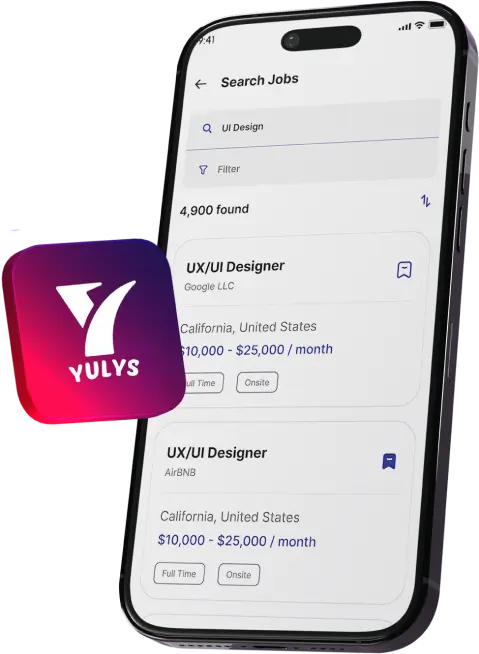
Get The Yulys App
Start your job search on-the-go and
never miss
a message or job alert.
Get The Yulys App
Start your job search on-the-go and
never miss
a message or job alert.


Job hunting is the game of documents. Resumes, cover letters, certificates, and application forms all travel as PDFs, and a messy file can slow down an otherwise strong application. Applicants who want to polish a document before sending it can start with an AI-powered PDF enhancer tool from DocHub. DocHub is the part of the airSlate family of products that offers various other products like PDF editor, fillable forms, and eSignature tools.
Job seekers looking to make a strong impression with a professional and organized resume can try DocHub's AI features on a sample document. They can explore available features and decide which ones to use to make their resume strong.
Anyways, this guide explores how AI PDF tools support different stages of the job search, from the first application to the signed offer.
From sending resumes, cover letters, portfolios, and certification to receiving offer letters and onboarding packets, searching and landing a job is full of paperwork. All documents in a job application need to be organized and easy to read. If any of the documents are hard to read poorly formatted, or stuck in the wrong file type, someone has to stop and fix it and employers often don’t have time for that.
This is where a PDF editor can help. It handles common formats such as PDF, DOC/DOCX, XLS, PPT/PPTX, and TXT and remove some of this friction. With its help a file can be adjusted instead of creating it from a scratch. So, organized and well-structured documents have the tendency to make or break the applicant’s impression among thousands of candidates.
Before sending an application, it helps to review every attachment the way a hiring manager would see it. A resume built with the Yulys resume builder is a solid starting point, and the final file often needs small touches. In a PDF editor, an applicant can add text, images, comments, highlights, and white-out directly in the document.
With PDF editor help an applicant can merge a resume and cover letter into one file, or convert a Word document to PDF so the layout stays consistent on any device. This matters because the document is often the first impression an employer gets. A clean, single file is easier to open, forward, and review than several loose attachments.

Hiring paperwork can be hard to understand. DocHub's Document Assistant can simplify a document, summarize key points, and answer questions about it. A candidate reviewing a long offer letter might ask the assistant to pull out the main points, such as job title, start date, and reporting line, then check them against the original text.
A new hire might use the same approach on a lengthy policy handbook before signing an acknowledgement form. AI summaries are a convenience, not a replacement for reading. Compensation terms and contract language should always be read in full.
Once an offer is accepted, the paperwork continues. New hires are commonly handed items such as an offer letter, W-4, I-9, and policy acknowledgement, often as PDFs. DocHub lets users build fillable PDF forms with text fields, checkboxes, signature fields, and initials field. With DocHub any document can become a reusable template where each recipient completes their own copy.
For a new hire, that means completing a form on screen instead of printing, signing, and scanning it. Reviewing the fields early also leaves time to ask the employer about anything unclear. Which forms apply to a given role is a question for the employer or the candidate's own advisors.
Signing is often where hiring slows down. With DocHub, a signer can type, draw, or upload an image of a signature. Documents can be sent for signature to multiple people in a set order, for example a hiring manager first and then the new employee. The sender can track who has signed in real time. In-person signing, including a mobile Kiosk Mode, also covers signing at an employer's office on the first day. In the United States, electronic signatures are legally recognized under the ESIGN Act and UETA, and DocHub's eSignatures comply with both. Each document also carries a tamper-evident audit trail.

Security matters for the hiring documents as they contain personal details. DocHub uses 256-bit encryption in transit and at rest and OAuth 2.0 authentication to ensure documents protects. Also it uses two-factor authentication, and password protection with access controls on documents. The audit trail records views, signatures, initials, and changes, along with email address, IP address, geolocation, browser, and operating system, and users can view or download it.
Infrastructure is hosted on Amazon Web Services in SOC 2-accredited data centers. On the compliance side, DocHub lists SOC 2 Type II (audited annually), HIPAA (with a Business Associate Agreement signed on request), GDPR, CCPA/CPRA, PCI DSS, and FERPA, and it also goes through Google's Security Assessment for Google Workspace.
Job seekers deal with different documents at different stages. Three examples show where the features help.
A new hire who receives an offer letter, W-4, I-9, and policy acknowledgement can complete the fields and sign each one electronically. The audit trail records views, signatures, initials, and changes.
Some applicants keep their resumes and certificates in Google Drive and send applications from Gmail. DocHub integrates with Google Drive, Gmail add-on, and Google Workspace, Dropbox, OneDrive, and Box, so a file can be opened, edited, and sent directly.
NDA or engagement letter are often needed for a contract and freelance work. So, a candidate can easily read them in PDF editor and sign them electronically. Moreover, document assistant can summarize key points as a reading aid.
Yes, DocHub's Document Assistant can summarize key points of a document and answer questions about it. However, summary is just a reading aid. Compensation, benefits, and contract terms should still be checked against the full text, and legal questions belong with a qualified professional.
Electronic signatures are legally recognized in the United States under the ESIGN Act and UETA, and DocHub's eSignatures comply with both. Signers can type, draw, or upload an image of a signature, and a tamper-evident audit trail records views, signatures, initials, and changes.
DocHub works with PDF, DOC/DOCX, XLS, PPT/PPTX, TXT, and other formats. Users can add text, images, comments, highlights, and white-out directly in a PDF, and they can merge and convert documents, which helps when a resume, cover letter, and certificate need to go out as one file.
A document can become a reusable template where each recipient completes their own copy. The form can then be sent for signature, and a new hire can type, draw, or upload an image of a signature, so nothing needs to be printed or scanned. The sender can track who has signed in real time.
DocHub uses 256-bit encryption in transit and at rest, OAuth 2.0, two-factor authentication, and password protection with access controls. It lists SOC 2 Type II, GDPR, CCPA/CPRA, PCI DSS, FERPA, and HIPAA compliance. Hosting runs on Amazon Web Services in SOC 2-accredited data centers.
©YulysLLC - 2026 All Rights Reserved | Terms of Service | Privacy Policy | Data Deletion | Yulys Ads Program